Skyway Command
SimulationLog in to play
Log in or create a free account to start playing.
Media
About this game
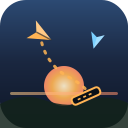
Skyway Command is a calm-then-chaotic air-traffic routing game you can play free in your browser with no download and no install. Set at dusk over a cozy island airfield, folded paper planes glide in from the edges of the screen, each one a specific color. Your job is to draw a flight path with a single finger or the mouse from each plane to a runway of the matching color; the plane then flies the route you drew and lands safely. The catch is the sky itself: if two airborne planes touch, that is a strike, and you get a near-miss warning just before it happens. Run out of strike tolerance and it is game over. The traffic never stops and there is no win screen, only escalation. Planes arrive faster and in greater variety over time, periodic rush-hour bursts flood the sky, and a fresh runway opens roughly every twenty-five safe landings so more colors come into play. Every spawn is guaranteed routable and fresh planes get a brief grace period, so a busy sky is always solvable with good planning. Earn Lumen each run and spend it in the Hangar on six permanent upgrades, including an extra runway, more slow-time charges, extra strike tolerance, calmer traffic ramping, bonus landing score, and wider safe separation. It runs on phone or desktop with English and Chinese support.
How to play
Desktop: click and drag with the mouse starting on a plane and release on a runway of the same color to route it. You can also tap a plane to select it, then click its matching runway. Press Space or the S key to trigger slow-time, which slows the whole sky to about a third speed for a few seconds so you can untangle a jam. Mobile: press a finger on a plane and drag a line to its matching-color runway, then lift off; the plane flies the path you drew, so you never have to keep your finger on a moving plane. Tap-plane-then-runway also works, and the on-screen Slow button uses your slow-time charge. Routes only commit if they end on a runway of the plane's own color, otherwise the plane flashes and stays put. Tips: 1) You start with just one collision of tolerance, so route new planes early while they idle slowly at the edge instead of waiting until the sky is crowded. 2) Draw curving paths to steer planes around each other rather than sending everything straight across the center. 3) Save your slow-time charge for rush-hour bursts and when two paths are about to cross, and spend Lumen in the Hangar on extra strike tolerance or an extra runway to make each new shift far more survivable.
FAQ
How do you play Skyway Command?
Desktop: click and drag with the mouse starting on a plane and release on a runway of the same color to route it. You can also tap a plane to select it, then click its matching runway. Press Space or the S key to trigger slow-time, which slows the whole sky to about a third speed for a few seconds so you can untangle a jam. Mobile: press a finger on a plane and drag a line to its matching-color runway, then lift off; the plane flies the path you drew, so you never have to keep your finger on a moving plane. Tap-plane-then-runway also works, and the on-screen Slow button uses your slow-time charge. Routes only commit if they end on a runway of the plane's own color, otherwise the plane flashes and stays put. Tips: 1) You start with just one collision of tolerance, so route new planes early while they idle slowly at the edge instead of waiting until the sky is crowded. 2) Draw curving paths to steer planes around each other rather than sending everything straight across the center. 3) Save your slow-time charge for rush-hour bursts and when two paths are about to cross, and spend Lumen in the Hangar on extra strike tolerance or an extra runway to make each new shift far more survivable.
Is Skyway Command free to play?
Yes. Skyway Command is 100% free to play online at NJPlay — no download, no install and no sign-up. Just open the page and play instantly in your browser.
Does Skyway Command work on mobile?
Yes. Skyway Command is an HTML5 game that runs in any modern browser and works on both mobile phones and desktop computers — no app required.